
Description
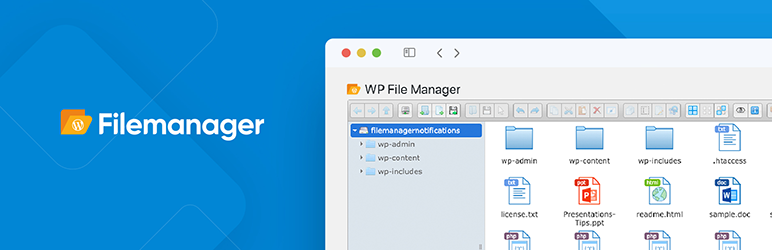
File Manager allows you to edit, delete, upload, download, zip, copy and paste files and folders directly from the WordPress backend. Don’t bother with FTP to manage and move your files from location to location. The most powerful, flexible, and easiest WordPress file management solution ever built!
Key Features in File Manager free Version Plugin
Key Features in the Free File Manager plugin include:
Yes, You can archive any files and folders as zip then simple download it. Please view screenshots.
* Operations: Various operations with files and folders on a remote server (copy, move, upload, create folder/file, rename, edit, delete, etc.)
* Move/Copy: Admin can Move/Copy files with Drag & Drop. Also includes multi file selection.
* Archives: Admin can create, archive and extract files(zip, rar, tar, gzip).
* File Size: Admin/User can upload any size files.
* File Type: Control what files can be uploaded and what file can be downloaded.
* Code Editor: File Manager comes with a built in integrated development environment (IDE) – New Feature
* Syntax Checker: File Manager now can complete code reviews before saving files to ensure your site will not go down when updating code. Reviewing code for errors has never been so easy! – New Feature
* Multiple Themes: Multiple File Manager Themes Available – New Feature
* Get Info: All file details, properties, information is now available by simply right clicking a file and selecting Get Info – New Feature
* Share Files by EmailInstallation
wp-file-manager folder to the directory /wp-content/plugins/.wp plugin install wp-file-manager --activateFrequently Asked Questions
Changelog
8.0.2 (26th May, 2025)
8.0.1 (08th Jan, 2025)
8.0 (06th Aug, 2024)
7.2.10 (29th July, 2024)
7.2.9 (6th June, 2024)
7.2.8 (31 May, 2024)
7.2.7 (07 May, 2024)
7.2.6 (01 April, 2024)
7.2.5 (14 Mar, 2024)
7.2.4 (28 Feb, 2024)
7.2.3 (26 Feb, 2024)
7.2.2 (18 Jan, 2024)
7.2.1 (26... [truncated]