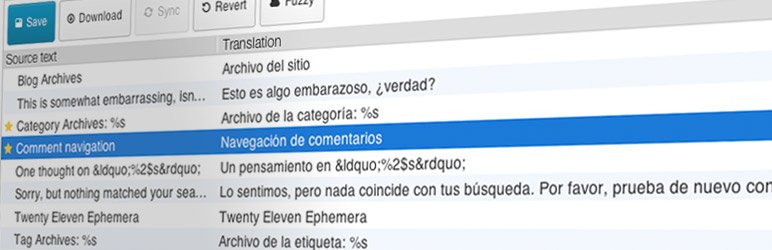

Description
Loco Translate provides in-browser editing of WordPress translation files and integration with automatic translation services.
It also provides Gettext/localization tools for developers, such as extracting strings and generating templates.
Features include:
- Built-in translation editor within WordPress admin
- Integration with translation APIs including DeepL, Google, Lecto, Microsoft and OpenAI.
- Create and update language files directly in your theme or plugin
- Extraction of translatable strings from your source code
- Native MO file compilation without the need for Gettext on your system
- JSON (Jed) file compilation compatible with WordPress script localization
- Support for standard PO features including comments, references and plural forms
- PO source view with clickable source code references
- Protected language directory for saving custom translations
- Configurable PO file backups with diff and restore capability
- Built-in WordPress locale codes
Official Loco WordPress plugin by Tim Whitlock.
For more information please visit our plugin page.
Keyboard shortcuts
The PO file editor supports the following keyboard shortcuts for faster translating:
- Done and Next:
Ctrl ↵ - Next string:
Ctrl - Previous string:
Ctrl - Next untranslated:
Shift Ctrl - Previous untranslated:
Shift Ctrl - Copy from source text:
Ctrl B - Clear translation:
... [truncated]
Installation
Basic usage:
Translators: To translate a theme into your language, follow these steps:
- Create the protected languages directory at
wp-content/languages/loco/themes - Ensure this directory writeable by the web server
- Find your theme in the list at Loco Translate > Themes
- Click
+ New languageand follow the on-screen prompts.
Developers: To translate your own theme or plugin for distribution, follow these steps:
- Create a
languagessubdirectory in your bundle’s root directory - Ensure this directory writeable by the web server
- Find the bundle at either Loco Translate > Themes or Loco Translate > Plugins
- Click
+ Create templateand follow the on-screen prompts to extract your strings. - Click
+ New languageand follow the on-screen prompts to add your own translations.
Installing manually:
- Unzip all files to the
wp-content/plugins/loco-translatedirectory - Log into WordPress admin and activate the ‘Loco Translate’ plugin through the ‘Plugins’ menu
- Go to Loco Translate > Home in the left-hand menu to start translating
More information on using the plugin is available here.
wp plugin install loco-translate --activateFrequently Asked Questions
Please visit the FAQs page on our website for the most common issues.
Try our Guides and Tutorials.
If you have a problem using Loco Translate, please try our help pages.
There’s a lot of information there to help you understand how it works and the most common pitfalls to avoid.
To report a bug please start a new topic in the support forum,
but please check the FAQs for similar issues first.
If ... [truncated]
Changelog
2.8.0
- Bugfix for PHP 8.0 compatibility
- Dropped support for PHP < 7.4
2.7.3
- PHP 8.4 compatibility
- Bumped WordPress compatibility to 6.8.1
2.7.2
- DeepL client moved to back end, because CORS
- Rolled in support for OpenAI / ChatGPT translation
- Workaround for JSON file references with no line number
- Bumped WordPress compatibility to 6.7.2
2.7.1
- Debug logging of unloaded domains reduced to a summary
2.7.0
- Raised minimum requirements to WordPress 6.6
- Minimum PHP version becomes 7.2.24 as per WordPress 6.6
- Locale-filtered bundle list now searches for base language
- Loading helper forcefully removes prematurely loaded text domains
- Machine translation hooks now have access to message context
- Persistent UI state for code view and invisible character modes