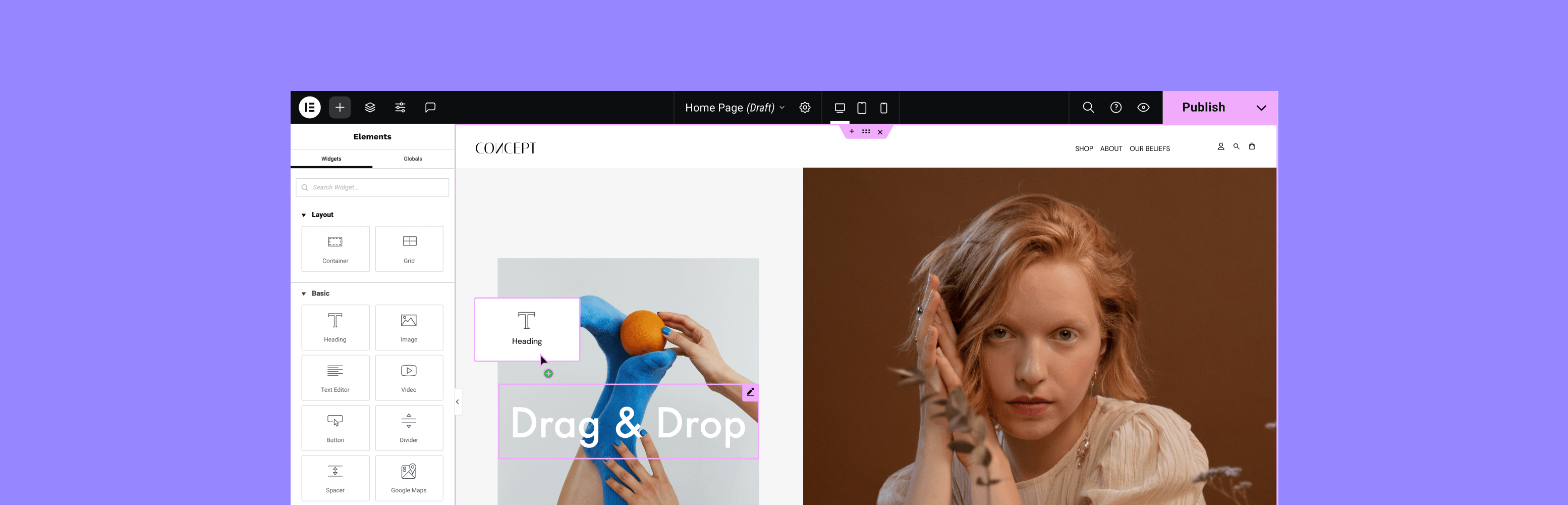

Description
THE #1 NO CODE DRAG & DROP WORDPRESS WEBSITE BUILDER POWERING OVER 18M WEBSITES WORLDWIDE, NOW WITH AI.
Elementor, the leading WordPress website creation platform, empowers you to build professional, pixel-perfect websites seamlessly.
Unlock all features with Elementor Pro.
Need fast and secure cloud hosting for your Elementor site? Try out Elementor Hosting Powered by Google Cloud & Cloudflare. 4.9/5 TrustPilot score.
🌟 Create Professional Stunning Websites
- Intuitive Drag & Drop Builder: Build any website with our no-code, drag-and-drop Editor. Achieve design precision with full control over layout and style.
- Pixel-Perfect Design Tools: Upload SVGs, apply masks, gradients, box shadows, headline effects, shape dividers, and use built-in CSS controls for advanced customization.
- Template Library: Apply complete website kits for instant setups, or choose from a vast library of single pages, blocks, and pop-up templates.
Installation
Minimum Requirements
- WordPress 6.5 or greater
- PHP version 7.4 or greater
- MySQL version 5.0 or greater
Recommended Requirements
- PHP version 8.1 or greater
- MySQL version 5.6 or greater
- WordPress Memory limit of 64 MB or greater (128 MB or higher is preferred)
Installation
- Install using the WordPress built-in Plugin installer, or Extract the zip file and drop the contents in the
wp-content/plugins/directory of your WordPress installation. - Activate the plugin through the ‘Plugins’ menu in WordPress.
- Go to Pages > Add New
- Press the ‘Edit with Elementor’ button.
- Now you can drag and drop widgets from the left panel onto the content area, as well as add new sections and columns that make up the page structure.
For documentation and tutorials visit our Knowledge Base.
WP-CLI Installation:wp plugin install elementor --activateFrequently Asked Questions
- How do I install Elementor?
To install the free version of Elementor, follow the steps below:
From your WordPress dashboard -> Go to Plugins -> Click on ‘Add new’-> In the Search field, enter Elementor and choose Elementor website builder.
Press install -> After installation, click Activate.- Does Elementor work with all the themes?
Elementor works all the themes that respect the coding standards of WordPress set by its Codex. It is recommended to use Elementor’s Hello Theme, a lightweight blank canvas, to enjoy full flexibility when using Elementor, and optimize your experience.
- Is Elementor compatible with Gutenberg? <... [truncated]
Changelog
3.32.4 – 2025-10-05
- Tweak: Added notice for Load Google Fonts Locally feature to clarify behavior and setup
3.32.3 – 2025-09-29
- Fix: Custom post types are imported even when unselected in Website Templates import
- Fix: Taxonomy queries not connected properly to widgets in Website Templates import
3.32.2 – 2025-09-18
- Tweak: Improved compatibility for 3rd-party plugins serving templates
- Fix: Structure Panel indicators not visible in RTL layouts
- Fix: Issues with loading Google Fonts when enabling or disabling Load Google Fonts Locally option (#32795)
- Fix: Background videos not displaying correctly on RTL websites
3.32.1 – 2025-09-16
- Tweak: Disabled Load Google Fonts locally on all sites by default
- Tweak: Moved the Load Google Fonts loc... [truncated]