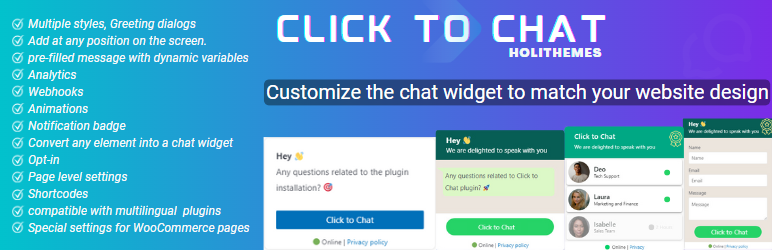

Description
WhatsApp Chat. Let’s make your Web page visitors contact you through “WhatsApp” or “WhatsApp Business” with a single click (WhatsApp Chat, Group).
Demo | Documentation | Support | PRO
WhatsApp Chat
Add ‘WhatsApp’ or ‘WhatsApp Business’ Number and let your website visitors contact you with a single click.
📱 Mobile: Open the WhatsApp Mobile App for a seamless connection.
💻 Desktop: Direct visitors to the WhatsApp Desktop App or Web WhatsApp page (web.whatsapp.com)
💎 Styles
Select a style that complements the design of your website.
- 8 pre-defined customizable styles/designs
- Add your own Image/GIF
- Custom Element/Design (convert any element to a WhatsApp Chat element)
- Shortcodes (Add WhatsApp button/icon with inline the content)
- Different Styles, Positions for Mobile, Desktop
- Choose a style and customize it to match the website’s design
list of Styles | 🎨
Enter the WhatsApp number with country code E.g. (WhatsApp Number)[https://holithemes.com/plugins/click-to-chat/whatsapp-number/]
Text that appears in the WhatsApp chat window when the user clicks on the WhatsApp. Add variables to change values dynamically E.g. Variables for WooCommerce single product pages E.g... [truncated] 🚨 Important UpdateInstallation
From Dashboard ( WordPress admin )
using FTP or similar
wp plugin install click-to-chat-for-whatsapp --activateFrequently Asked Questions
country code +1
number: 6123456789
** WhatsApp number: 16123456789 **{url} -> Web page URL
{title} -> Page Title
{site} -> Website Title
Hi {site}!!
I like to know more information about this {title}, {url}.
{product} -> Product Name
{price} -> Product Price (current price might be the sale price/regular price)
{regular_price} -> Regular product price (with out any sale)
{sku} ->Stock keeping unit
Changelog
4.29
4.28
4.27
4.26
4.25
4.24
4.23
* ✨ New Feature: G... [truncated]